Website drafts
Describe the purpose, pages and direction of a website. Twelva can turn the brief into a multi-page draft, with a preview beside the conversation.
A clear idea. A considered build.
A product by TwelveBirds AI Labs Early preview
An AI workspace for making websites and visuals. Bring an idea, describe what you want to make, and keep the conversation beside the work as it develops.
Illustrative preview
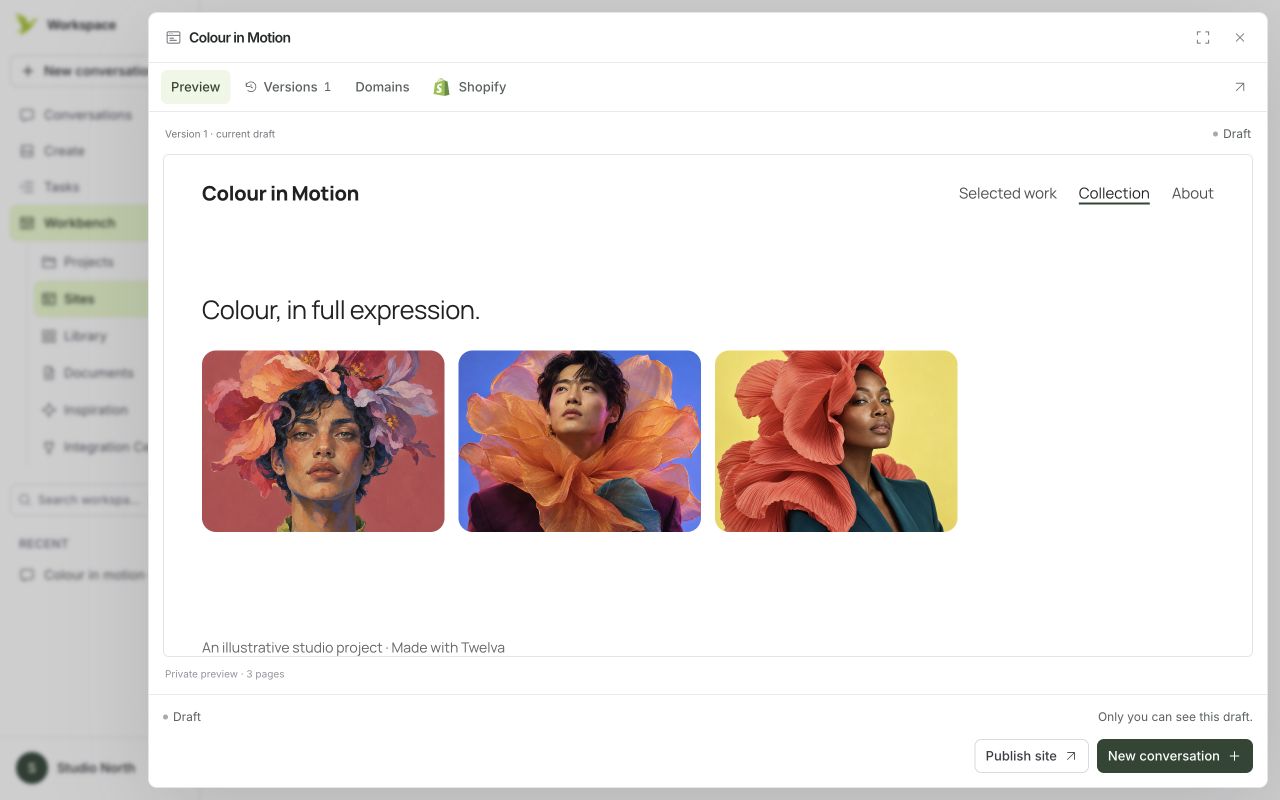
A sample website inside the Twelva workspace. Example content from the product’s own marketing materials.
Describe the purpose, pages and direction of a website. Twelva can turn the brief into a multi-page draft, with a preview beside the conversation.
Create an image from a prompt, review the result and keep developing the idea. Saved images can be brought into supported website hero or gallery sections.
Projects bring related conversations, websites, images and documents into one place. Brand references and instructions help carry the direction into the next draft.
Start with the site’s purpose, who it is for and the pages you need. Add useful references, then develop the brief through conversation.
Review the desktop and phone previews. Continue through chat or directly edit supported text, colors and typography. Compare the draft with the direction you intended.
Open the separate Twelva workspace to create and keep developing your own project. The product site is the place to find its current tools and guidance.
Open the workspace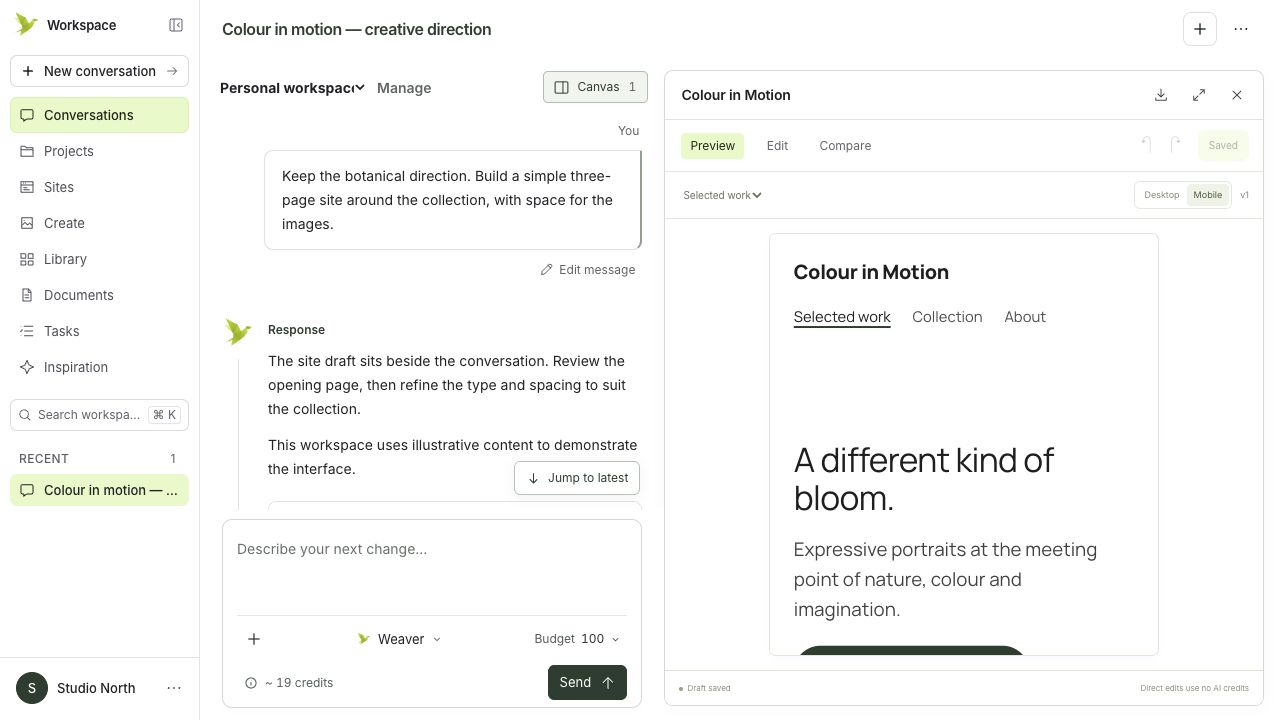
Illustrative preview
The conversation stays beside the work, here with a phone preview. The interface is shown with illustrative content.
Twelva has its own website and workspace for working on your own briefs. This Labs page introduces the product and provides a route into it.
The experiments on this site use sample content to explore an interaction or a system. They are not general-purpose services available to buy.
Explore the experimentsBefore you begin